/



Details

Reviewer
Product Analyst
Product Analyst
Carl's Team Insights: Coming Soon
We're hyped to do an in-depth review of the {Product Name}. We're excited to explore its cutting-edge features, evaluate its accuracy, and present an insightful analysis.
Expect a thorough review that helps you determine if the {Product Name} is your perfect launch monitor!
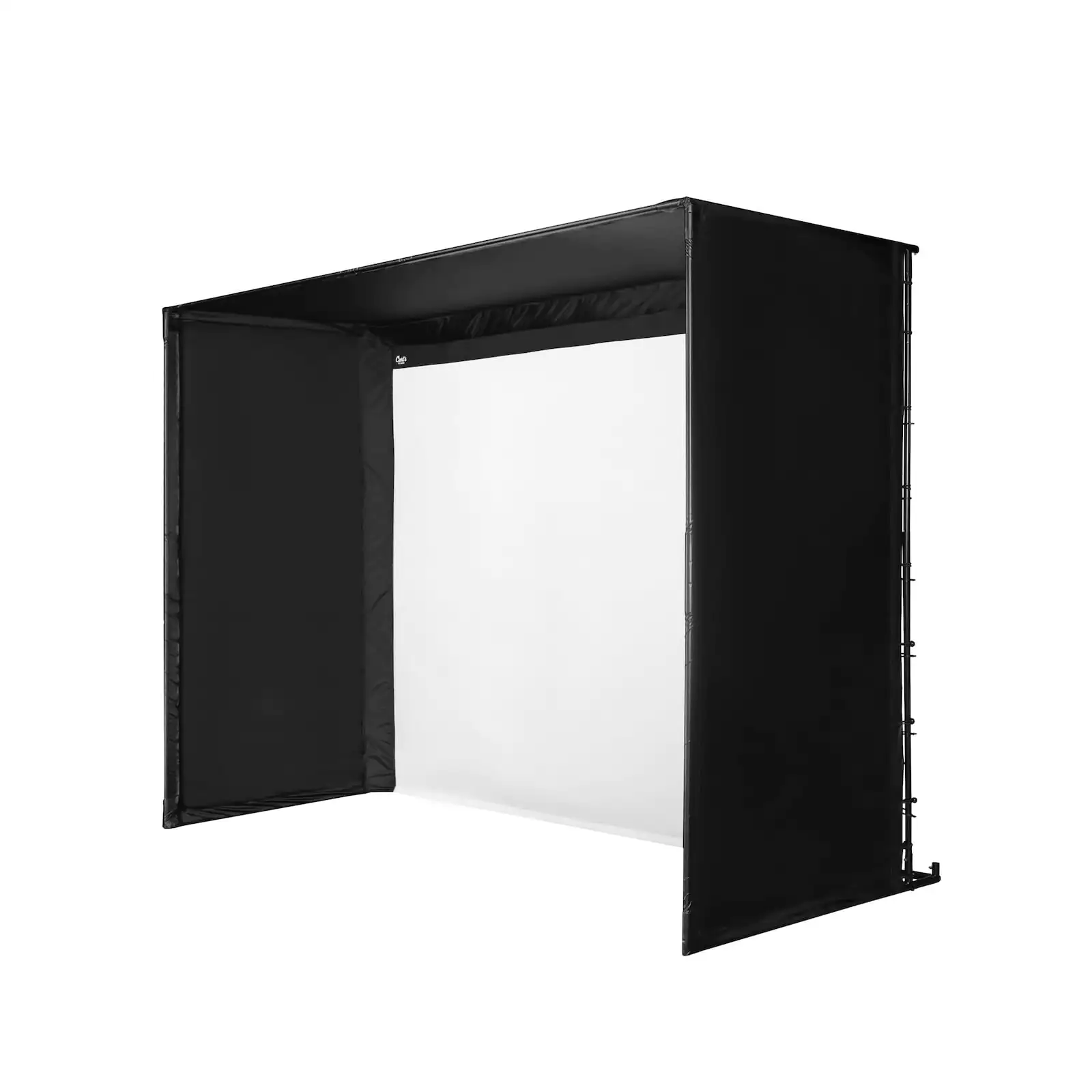
Using Carl's DIY Golf Simulator Enclosure Kit with Premium Screen,you'll have a crisp, clear image of the course in the comfort of your own home. The Foresight Sports GC3 launch monitor gives you high-quality training options, then keep the kids busy using the projector and screen to have an awesome movie night!
DJ built his enclosure sourcing his own pipes, so this package doesn't come with pipes to assemble the frame. We give you all the information needed to cut them to length. Or you can add them from us, check out how in the Resources section below.
This golf simulator package includes the fittings to connect your pipes, the GC3 launch monitor, and your choice of projector. To give you a perfectly cushioned area to hit, we also include Carl's HotShot Golf Mat.
Pixel Golf Home Golf Package Features
Bring Focus To Your Training Sessions
The GC3 Launch Monitor uses 3 precision cameras for both ball and club data, plus a touch screen display that’s easy to read indoors and out. Add it all up and you’ve got the ultimate personal launch monitor.
The GC3 Essentials Plus Bundle measures the following data parameters:
- Horizonal Launch Angle
- Verical Launch Angle
- Total Spin
- Side Spin
- Spin Axis
- Carry Distance
- Club head Speed
- Smash Factor
- Angle of Attack
- Club Path
Projector
Choose between two popular golf simulator projectors. The BenQ AH700ST is popular for golf simulator setups due to its auto screen fill features. The BenQ LK936ST is a 4K beauty with flexible mounting options.
DJ's Golf Simulator Build
How DJ set up his golf simulator
How DJ's set up is going a year later
How It Works
DIY Golf Simulator Enclosure with Premium Impact Screen
You'll be the best at the club when you can train at home with our most popular DIY Golf Simulator Enclosure Kit.
Choose which size golf enclosure fits your space.
The high-quality, BlackStop™ enclosure surrounds your impact screen to protect your house, garage, shed, or wherever. The premium golf impact screen does the dirty work of stopping your flying golf ball while also providing a beautiful projected image.
Advice from DJ
DJ shows you how to customize your golf sim package
What's Included
What You Get
- C-Series golf enclosure
- Fittings to connect your pipes (pipes sold separately)
- Foam kit
- Premium golf screen
- GC3 launch monitor
- Your Choice of BenQ AH700ST projector or BenQ LK936ST
- Carl's HotShot Golf Mat
Requirements
Technical Requirements
To load your swing data, you can connect using an Apple or Android device connection. The GC3 can connect via USB, Ethernet, or WiFi.
To use FSX software with your GC3 you need a PC with the following system specifications:
- Operating System: 64 Bit Windows 10 or greater
- not supported: iOS, Linux
- Processor: 7th Gen or greater Intel i5, i7, and i9 processors (AMD CPU not recommended)
- Memory/RAM: 8GB system memory (16GB+ recommended for Swing Camera use)
- Video Card: Nvidia GeForce RTX 3060 or greater
- recommended for Quality/Optimal Performance: GeForce RTX 3070ti/3080/3090
- not supported: Nvidia Quadro, AMD GPU
Ideal Space Requirements
Depth
For this setup, you'll want 18' of depth in your room. You need to keep the enclosure 1' away from the back wall, plus 10' from tee to screen, plus 7' behind the tee (and in every direction) for an unobstructed swing.
Height and Width
The room size you need depends on the enclosure size you choose. Check the actual outer enclosure dimensions, then add a 2"-3" buffer space on each side of and above the enclosure. That way you don't have golf balls hitting the walls or ceiling.
Ordering Information
Made to Order
Simply add the enclosure and your shipping address to the shopping cart for a delivery estimate. Because each enclosure is made to order, cancellation and order change policies apply.
Shipping Limitations
This golf simulator package ships to US addresses only and may arrive in separate shipments. Please contact us for non-US bundle options.
Pixel Golf Home Golf Package Resources
User Manual & Related Guides
See the install of a Carl's Place C-Series DIY Enclosure.
How to prevent your impact screen from getting dirty.
- Use white balls without dirt, grass or marker on them.
- Clean your clubs often - it will also benefit parts of your game like ball spin.
- Store your screen in a safe, clean and dry environment - if you ever need to pack it away.
- If possible, stay away from keeping it folded in a box for a long time to avoid longer-term creases and wrinkles.
- Make sure you use the right side of the screen; the front has a Carl's Place logo in the corner. Your new impact screen has a front and a back, and only the front is rated to withstand the impact of real golf balls.
Read more: 'How To Clean Your Golf Impact Screen, and Make It Last'.
Safety Tips
Please make sure to take proper safety precautions to protect ceilings, walls, windows, cars, and neighboring homes. Keep children, pets, and spectators out of swing range.