/


Details

Reviewer
Product Analyst
Product Analyst
Carl's Team Insights: Coming Soon
We're hyped to do an in-depth review of the {Product Name}. We're excited to explore its cutting-edge features, evaluate its accuracy, and present an insightful analysis.
Expect a thorough review that helps you determine if the {Product Name} is your perfect launch monitor!
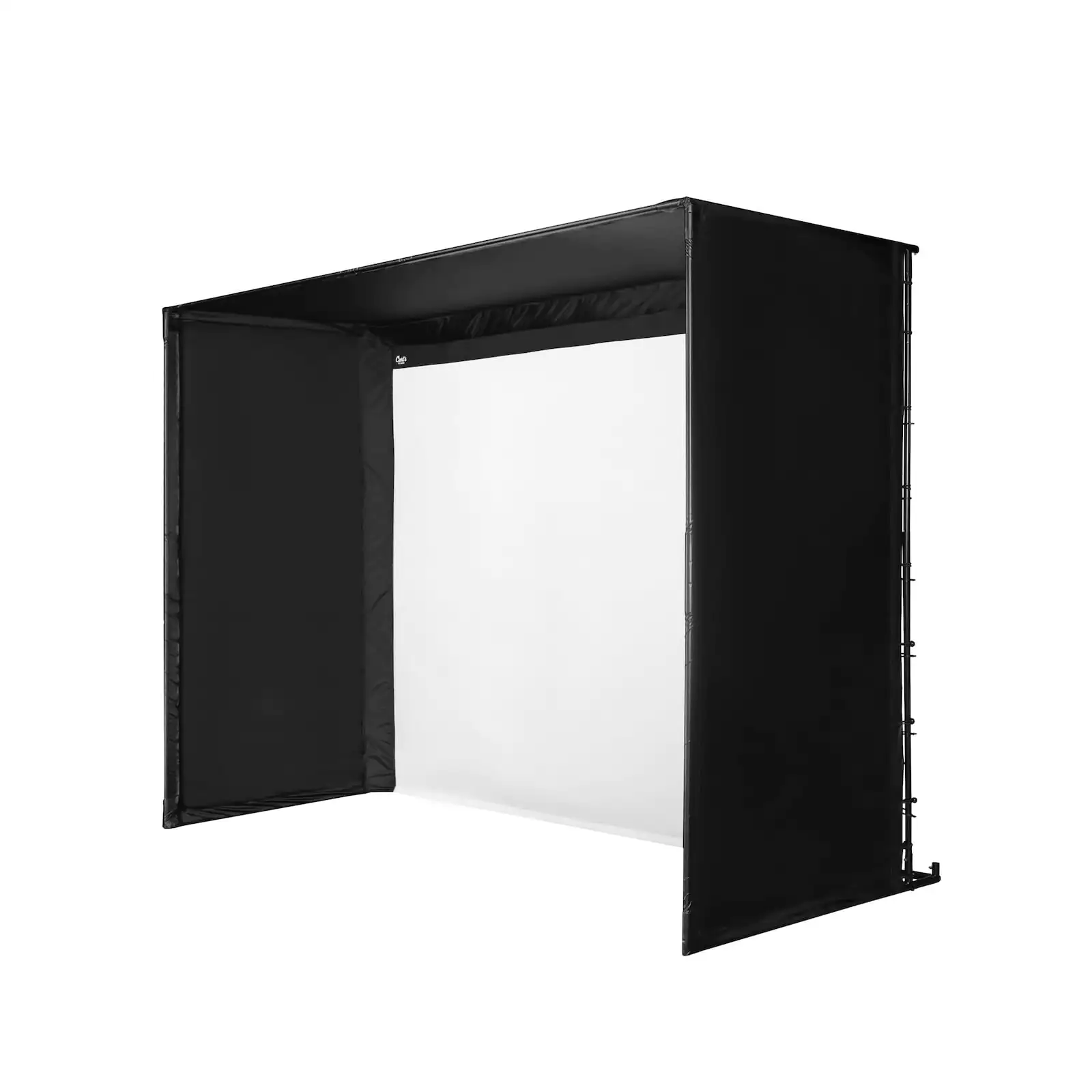
Expand your golf season to all-year-long, through rain, snow, or heat with the Rogue Engineer Golf Simulator Package. Carl's DIY Golf Simulator Enclosure Kit with Premium Screen is easy to set up, you'll need about an hour. With this golf simulator package, you'll get the pipes and fittings to construct your frame. We'll send you the black fabric walls and ceilings to enclose your space. Plus, our premium golf impact screen to catch your shots.
With the EYE XO launch monitor you get the best of the best, one of the most accurate launch monitors on the market. It's an investment in your golf game that is unmatched for accuracy and reliability. With GSPro software you'll have access to numerous courses and practice ranges with highly realistic imagery.
Visualize it all on the screen with the top-of-the-line BenQ LK936ST Projector, mounted to the ceiling with a universal mount. The LK936ST will help you get that perfect corner-to-corner image, and minimize unused screen space with its lens shift and keystone correction capabilities.
All you need is a powerful computer to run it all and you're ready to golf indoors!
Rogue Engineer Golf Package Features
A High-Quality Hitting Area
The Country Club Elite mats feel like hitting off a perfect lie while also providing cushioning for the impact of the bounce. This means you can hit countless practice balls without worrying about joint pain. Plus they can even take a real tee. The 5'x8' Country Club Elite mat gives you enough space to feel comfortable in your swing and take your golf practice to the next level.
Feature-Loaded 4K Projector
The LK936ST's digital image shrinking and lens shift feature is a lifesaver when installing this projector. Aligning the image on your golf screen has never been easier. Say goodbye to the hassle of reinstalling or adjusting the projector - the LK936ST has got you covered.
BenQ makes it even easier to see where to mount the LK936ST using their projector calculator. You'll be able to adjust all the settings that this feature-loaded 4K golf simulator projector has in order to see where you need to mount the projector to get the screen size you want.
How It Works
DIY Golf Simulator Enclosure with Premium Impact Screen
Let the high-quality, BlackStop™ enclosure shield your house, garage, or shed from any stray golf balls. The premium golf impact screen not only catches your shots but also projects a seamless and vivid image, making every practice session feel like a real game.
This easy-to-assemble kit will quickly provide you with a safe practice space.
Building a Dream Simulator
Watch the Rogue Engineer ultimate home golf simulator build.
What's Included
What You Get
- C-Series golf enclosure
- Pipes and fittings to construct your frame
- Premium golf screen
- Foam insert kit
- Uneekor EYE XO launch monitor
- GSPro software
- BenQ LK936ST projector
- Projector ceiling mount
- 5'x8' Country Club Elite golf mat
Requirements
Technical Requirements
You will need a gaming computer to run all the electronics and get a no-lag experience. Here's the minimum specs.
- Intel i5 8400 (Not compatible with Mac iOS)
- 8 GB RAM (16 GB RAM for Swing Optix)
- GeForce GTX 1060 (AMD: 3rd gen Ryzen or higher and AMD Ryzen 3600X or higher (AMD 2700 is not compatible)
- Windows 10 (64 bit) Version 1803 or higher
- Ethernet Port Required
Ideal Space Requirements
Depth
For this setup, 18' of depth is ideal (1' away from the back wall + 10' from tee to screen + 7' behind the tee to swing).
Height and Width
Maximize your golfing area with the largest size golf enclosure that fits your space. Check the outer dimensions of the enclosure to know which size to buy. Don't forget to leave some buffer room, add 2"-3" on each side of and above the enclosure. That way you don't have golf balls hitting the walls or ceiling.
Note: Jamison from Rogue Engineer went with a shallower enclosure to accommodate a doorway; you can certainly go that route as well, using our Build Your Own Golf Simulator tool.
Ordering Information
Made to Order
Simply add the enclosure and your shipping address to the shopping cart for a delivery estimate. Because each enclosure is made to order, cancellation and order change policies apply.
Shipping Limitations
This golf simulator package ships to US addresses only and may arrive in separate shipments. Please contact us for non-US bundle options.
Rogue Engineer Golf Package Resources
See the install of a Carl's Place C-Series DIY Enclosure.
How to prevent your impact screen from getting dirty.
- Use white balls without dirt, grass or marker on them.
- Clean your clubs often - it will also benefit parts of your game like ball spin.
- Store your screen in a safe, clean and dry environment - if you ever need to pack it away.
- If possible, stay away from keeping it folded in a box for a long time to avoid longer-term creases and wrinkles.
- Make sure you use the right side of the screen. Your new impact screen has a front and a back, and only the front is rated to withstand the impact of real golf balls. The front has a Carl's Place logo on the bottom left corner of the screen.
Read more: 'How To Clean Your Golf Impact Screen, and Make It Last'.
Safety Tips
Please make sure to take proper safety precautions to protect ceilings, walls, windows, cars, and neighboring homes. Keep children, pets, and spectators out of swing range.